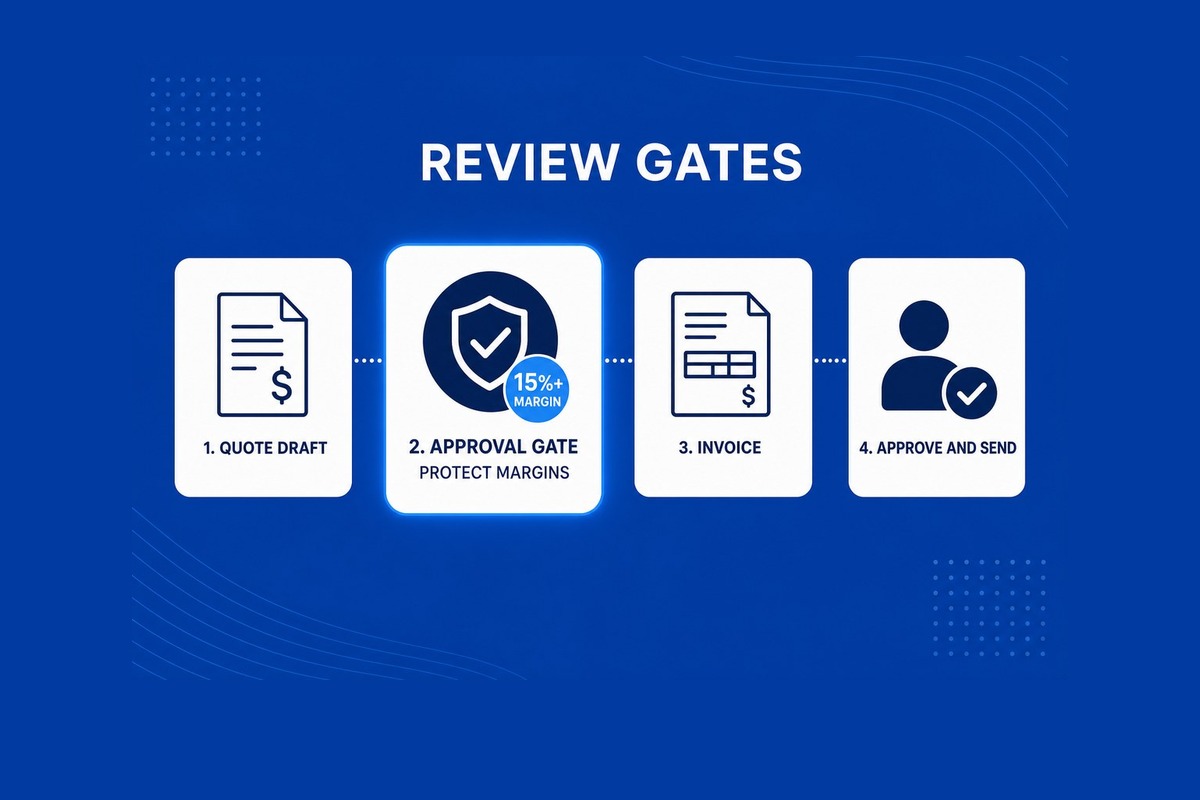
Review gates that protect SME margins
- 2 Sep 2026
- In Blog, Delivery
- ~8 min read
What are review gates that protect SME margins?
Review gatesare the steps where a person must check, approve, or fix work before it hits your P&L or reaches a customer. They sit on quote drafts, invoice lines, price changes, and handoffs between ops and finance. The goal is to catch costly mistakes early, without slowing every task.
Who this guide is for
Owners, ops leads, and finance sponsors in Australian small firms who want automation but cannot afford a wrong price, a missed approval, or finance and ops working from different numbers. Pair this with human-in-the-loop gates for customer-facing AI when drafts go to clients. This article focuses on margin and internal ops work.
Where margins leak
Margins leak in quiet ways. A quote goes out below cost because nobody compared it to the last similar job. An invoice line posts to Xero with the wrong code. A job note never reaches finance, so billing waits. A CRM stage changes but the owner never gets told.
These are not model problems. They are workflow problems. Automation can draft the work faster. Review gates make sure the right person still says yes before money moves.
Gates to map first
Start with one path that already hurts. Pick the step where a mistake costs the most. Then write down who approves, what they see, and what happens if they say no.
- Quote draft: flag when price looks too low vs the last similar job. A person sends the quote to the customer.
- Invoice or bill line: extracted fields wait in a review queue before they post to Xero or MYOB.
- Discount or credit: any change above a set dollar or percent needs a named approver.
- Job won to setup: ops and finance both see the same customer, job code, and owner before work starts.
- CRM stage change: stalled deals or big stage jumps notify the account owner before automation runs the next step.
Customer-facing gates vs ops gates
Customer-facing gates stop the wrong email, quote, or ticket reply from going out. Ops gates protect margin inside the business. You often need both. A quote draft might need an ops check on margin and a final send approval from the account owner.
Keep the lists separate in written acceptance. Sponsors can tick each gate in review cadence without mixing customer risk with internal finance risk.
What each gate needs
- Trigger: what event starts the check (draft ready, file parsed, stage changed).
- Queue: where the approver sees pending items (inbox, CRM task, Teams or Slack alert).
- Approve, edit, reject: three clear actions with reason codes on reject.
- Log: who acted, when, and what changed before post to Xero, HubSpot, or Zoho.
- Escalation: what happens if nobody acts within 24 or 48 hours.
Named systems
Gates work best when they write back to the tools you already run. Finance truth often sits in Xero or MYOB. CRM truth sits in HubSpot or Zoho. Job notes may live in Monday, Asana, or email. Name the system that wins for each field before you automate. That stops a third copy of the customer in a spreadsheet.
For quote and document flows, see RFQ to draft quote: structural document ingestion and Faster quote drafts, still reviewed by your team.
Prove gates in a pilot
Do not turn on gates for every workflow at once. Pick one slice. Run real jobs through it for two to four weeks. Count how many items hit the queue, how many were edited, and how many errors you caught before they cost money.
Demo in staging with the same roles and data shapes as production. Sponsors should see the queue, not a slide deck. Update written acceptance each cycle so scope stays visible.
A good gate feels like a short pause on the risky step, not a new layer of admin on every click.
How this fits operational AI
Operational AI for Australian SMEs is quotes, CRM, documents, reports, and handoffs on systems you already use. Review gates are how you keep people in control of what costs money. Read the wider guide: A practical guide to operational AI for Australian SMEs.
How Yarli helps
We map one stuck workflow in paid discovery, wire review gates into Connect your systems, and prove behaviour before go-live. See Work for programme tiers and start with a complimentary intro call if one workflow is costing you time or money.
Published by Yarli Data, Sydney. Australia-wide delivery for operational Data and AI pilots.
Map review gates for one workflow
Describe the step where a mistake costs the most. We will map review gates for a bounded pilot slice.